
This guide walks you through the steps to activate your account after your account owner or admin invites you to your company's sanctions.io account and to complete the setup process.
Set up your account
- Check your email. You'll receive an invitation from api@sanctions.io. If it doesn't appear in your inbox, check your spam or junk folder.
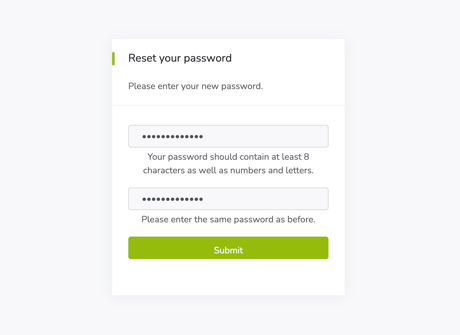
- Open the invitation email and click the activation link. This takes you directly to the Reset your password screen.
- Create your password. Enter a new password and confirm it, then click Submit. Your password must be at least 8 characters and include both letters and numbers.
- Once you set your password, your account is ready to use.
Troubleshooting
I didn't receive the invitation or password email.
Check your spam or junk folder. If it's still missing, ask your administrator to confirm that your organization isn't blocking emails from api@sanctions.io.
We're here to help!
If you have any questions or need more help, please contact our support team anytime!
-
Chat: Available directly through the Help Center
-
Email: help@sanctions.io